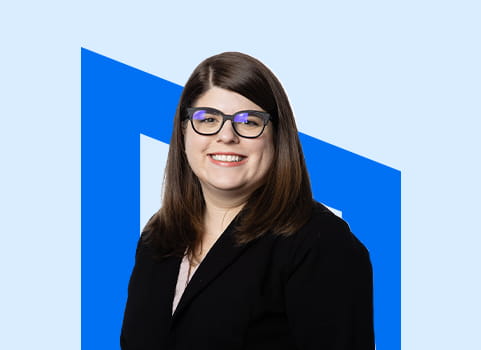
A Guide to Penn Foster’s Learning Resources with Librarian Erica Getts

We follow strict quality and ethics policies to make sure our content is honest, accurate, and helpful. Learn more about our editorial guidelines.
Key Takeaways
- Penn Foster offers a comprehensive, fully online support system
Students have access to a digital library, Learning Resource Center, writing support, and direct help from instructors and the librarian—all designed to support different types of learners (high school, college, and career-focused). - The digital library and LRC provide flexible, accessible learning resources
Unlike traditional libraries, Penn Foster’s online resources are available anywhere and include databases, videos, guides, and tools like Opposing Viewpoints, making research and learning more convenient and equitable for all students. - Students have multiple ways to get help when they need it
Whether through contacting the librarian, scheduling appointments with instructors, attending webinars, or using built-in support tools, students can often easily access guidance and assistance throughout their program.
As a Penn Foster student, you have access to a wide variety of online resources to help and support you through your program. We interviewed Erica Getts, Penn Foster’s Librarian and Information Literacy instructor about our digital library, Learning Resource Center, and other resources.
Can you describe your role as a librarian at a school like Penn Foster?
Erica: There is so much more to a library, even with the collection, than physical books.
Research databases comprise a large portion of our collection, and they include resources like news articles, journal articles, books, videos, all kinds of materials. Also, there are a lot of excellent resources available for free online and as the librarian, I work with the instructors and other subject matter experts to help curate collections of the best options for our students based on the subject that they're working on.
I also teach our college level Information Literacy course, and that's a place where I get to interact with a lot of students. They might have questions about the course, like what are some exam prep tips, or ask for further explanations of some of the course concepts. And recently I've also been heavily involved in teaching AI literacy to our students. I manage our Artificial Intelligence Learning Resource Center, which includes a set of supplemental resources our students can utilize to better understand things like what AI is, how it applies to them as a student, how they can and cannot use it as a student, how they might find themselves utilizing it at work. I even present quarterly AI literacy webinars that are open to all of our students, and we've gotten really great feedback on them. So, if you’re a student and haven’t joined us at one yet, there are recordings available in the AI LRC.
How does a digital library differ from a traditional, in-person school library?
Erica: The first thing that came to my mind with this question is that we could equitably support a much larger community of students than a physical library can. No matter where you are in the US or around the world, you have access to all of the same resources as your fellow students.
This might mean that we don't offer some of the traditional services that a physical library might, like printing or circulating physical materials. But our students never have to print out an assignment to hand in, and all of their course materials are already supplied to them directly. There also isn't that same need since our model here at Penn Foster is different overall from an in-person school.
Read more: Are Online High School Diplomas Legitimate?
Are there any standout or unique resources that students might not expect?

Erica: One thing I think students might not realize is that we have a collection of supplementary resources that support all of the courses that we offer. So if a student is looking to dive deeper into the topic that they're learning about or if they have some questions, they’re probably going to be able to find the information they need within the library, the Writing Center, or the Learning Resource Center, because these three resources work together to supply information on a wide variety of academic subjects, along with general student support resources.
An example: maybe you aren't sure how to get started with citing your sources in your paper using APA style. Well, you could find a detailed video covering each step you should be sure to follow to set up your paper. Or maybe you're getting close to graduation, and you want to put together your resume. We also have resources to help guide you through that process.
I did also want to mention one specific tool that I think all of our students would benefit from giving a try, which is a database called Opposing Viewpoints. We subscribe to this on our students’ behalf. Using the link to it in our library, students just have to put in their student ID number to sign in and then they have access to a collection of resources covering the hottest social issues. Those topics include what's called an overview, which is like an encyclopedia style entry covering that topic. They can also get access to more detailed resources like news stories and journal articles that can be used to support the research that they're doing.
Do any of the resources support both academic success and career readiness?
Erica: Absolutely. I think that there are some blurred lines between academic success and career readiness, and what I mean by that is sometimes they're kind of one and the same. For example, if you're a student reading an article about rabies, in order to write a research paper on the topic, you're also preparing for your career as a vet tech, where you will need to have a certain working knowledge of rabies.
However, if students are looking for specific career readiness resources, I would suggest that they scope out the Job Search and Career Readiness page in the Learning Resource Center. On there, they'll find information on creating resumes and cover letters, links to job search boards, and they'll also see some on specific topics. For example, if they are a vet, they'll find specific veteran job search boards. They'll also find interview tips and other general career resources.
Read more: Real Student Stories: How Kelsy Found Her Path as a Mom, Military Spouse, and Future RVT
For a new student, where should they start when exploring the library?
Erica: I would suggest that they start by watching the Welcome to the Penn Foster Library video, which is embedded right on the library's homepage. It's only 5 minutes long, but it gives a great overview of navigating the library while also providing information about the resources available within it. It also then refers students to watch the overview video on using the Learning Resource Center. So those two resources kind of work together hand in hand to explain the basics of using both.
How do students access help if they get stuck while using a resource?
Erica: Every page that a student is on should have a Contact Us box on it. So if you have a question related to the library or the information literacy course, you should contact me, and you would see that linked on any page where it's appropriate. You can contact me by submitting a case or by scheduling an appointment, but if you're looking for another instructor, you can also use the box to schedule an appointment with them. You will see that not every instructor will be available for a one-on-one appointment, but you could just e-mail them. Or, if you'd rather just e-mail, that's also always an option. You could submit a case through your help and support page of your learner center, and from there they'll get directed to the appropriate person.
You might also have a question not related to academics, and if that's the case, you can click the Need Help? Contact Us link that is on the footer of every page and that will give you all the contact information you might need to get in touch with the specific areas here at Penn Foster.
How do our resources cater to high school vs. college vs. career-focused students?
Erica: We have made individual pages for different subject areas and we found that this is the best way to pull together the different resources that would best suit students based on whether they're high school, college, or career students. I think a really good example here is that we've worked with the high school team to pull together important information for high school students and what's called the High School Academic Resources section of the Learning Resource Center. This is like a one stop shop for high school students to find links to resources curated specifically for them, like the high school webinar schedule, study skills, SAT/ACT and college information, along with links to all of their subject guides. The subject guides are created in conjunction with the instructors for those subject areas and they provide really invaluable supplemental resources. Many of these supplemental resources have been specifically created by our instructors, like videos, extra practice worksheets, study guides, and more. These exist for college and career students as well.
Read more: High School Diploma Requirements by State
Are there resources for students with different learning styles?
Erica: There are videos, readings, and opportunities to talk directly to instructors. And these vary, too. They could either attend webinars, one-on-one appointments, or office hour sessions, so depending on the subject area, there might be one or more of these options. The high school science instructor has been adding simulations that support different courses in that area, so this variety of options is really why I strongly encourage students to check these pages out if they haven't yet, and maybe even if they have reviewed them in the past, because they are also just kind of always evolving and being updated and having new information added. So if you've looked before, you might look again and find something new that you didn't realize was there.
Read more: How Can I Study Online for a Hands-on Job in the Automotive Industry?
Do we have any resources aligned with the Americans with Disabilities Act?
Erica: There is a form for students. The form requests for accommodation under the Americans with Disabilities Act, so if you are a student with disabilities, you should absolutely fill that form out. All of the courses and our websites and everything are designed with accessibility in mind, so a lot of times when students are looking to get accommodations for a course, they might find that they're already built. For example, for Information Literacy, the course that I teach, there's no time limit on exams. Students can take as much time as they need, and they could have somebody read the exam to them. Those are just a couple examples of accommodations that I know sometimes are needed in other types of schools, but we kind of have them by default in the courses.
They also recently added, I think to every course, an option that the content that is within the course itself can be read out loud. There's a tool built right within there. But if students do go to the Learning Resource Center and they go to the Technology Tips section, there is a link to a tool that goes into Chrome, and there is something called ‘reading mode’ now that's built right into Chrome. So if you like to have things read aloud to you, that's a great option.
Also, when we're doing the AI literacy webinars, some of the tools that we talk about in those webinars were specifically designed for folks with disabilities. One is called Goblin Tools and it was originally designed for your folks that are neurodivergent, so it's to help them with things like task completion.
Another useful tool is called the Magic To Do List. You just type in whatever you need to get done. An example that I use a lot is writing a resume- it breaks that down into the different steps that you need to complete and then you could just cross them off as you do them, and if you get to a point in the process where you don't really know what to do, you could actually break it down even further and it will give you even more steps within that that step that you were already at. There's a lot of support for students with disabilities and if they do ever have questions about anything, they should definitely reach out.
Read more: Teen Stress Is Real: How to Handle School, Life, and Everything in Between
What’s one resource you wish more students knew about?
Erica: I'm going to bring up Opposing Viewpoints again here and just reiterate what it is. Opposing Viewpoints is a research database that we subscribe to on behalf of our students. It's a really powerful tool where students can get reliable information on the most commonly researched topics. The information is presented in such a way that I think it's accessible to high school, college, and career students. I'd love to see students using this as a place to find easy to digest information on a topic before they go to a search engine like Google or a generative AI chat bot like ChatGPT.
Read more: From High School Struggles to Nursing Dreams: Cassidy’s Online High School Story
How can students connect with you?
Erica: I'm available by appointment and by case. If you schedule an appointment with me, how that works is that I will then give you a call at the specific date and time you have chosen. If you submit a case, I will then respond to your e-mail, usually within 24 hours of it arriving with me. It really just depends on the student's preference between e-mail and speaking with me, they get to choose.
Also, a lot of times when students do schedule an appointment with me, I will e-mail them before we meet because a lot of times there's helpful information online that I would like them to have an opportunity to access even before we get to chat about it further. So, even if you do make an appointment with me, you might also get an e-mail from me.
Put these resources to use
Whether you’re already a student or just checking out how much support there is before committing to a program, Penn Foster has got you covered with learning resources. If you aren’t a student yet, you can request more information about us and our programs and, if it’s right for you, get started with the enrollment process. If you want to hear more from Erica, check out the Learning with AI podcast!